PSAA Membership Platform
The Private Student Accommodation Association (PSAA) supports the student accommodation sector. I designed and built its first digital membership platform to streamline registration, payments, certification, renewals, and member resource access within 30 days.

The Challenge
The Private Student Accommodation Association (PSAA) needed a digital membership platform: registration, payments, certification, renewals, member communication to be built from scratch, with no existing system, no members to test with, and one month to launch.
The Solution
A full front-facing site and member dashboard, built in WordPress with AI-assisted development: automated onboarding, certificates, renewals, and member communication.
The Impact
A fully operational membership platform that streamlined onboarding, reduced administrative workload through automation, and established a credible digital presence for the association.
Objectives
Immediate Goals
- Digitise membership application and payment workflows
- Build a dashboard for certificates and renewals
- Build trust through a professional front-facing platform
- Reduce signup friction at the document upload stage
- Automate post-registration communication
Future Goals
- Scale membership growth without added manual effort
- Add student-facing features once the platform matures
Discovery
Research Under Constraints
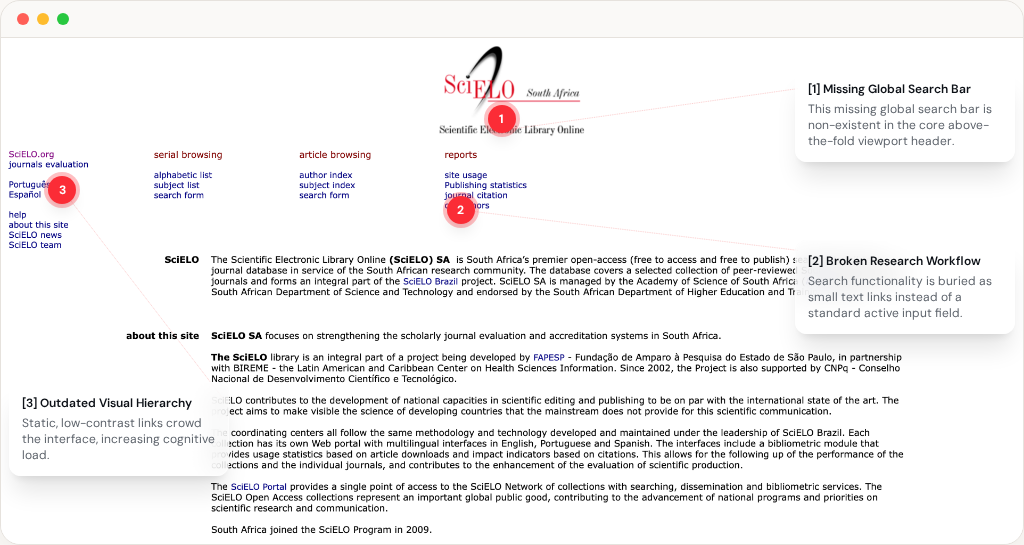
PSAA was newly formed, so traditional user interviews weren't possible. Instead: stakeholder interviews, comparative platform analysis, and workflow validation grounded every decision in real operational needs.
Stakeholder Interviews
Why? To understand PSAA's operational requirements, compliance rules, and approval processes. What I did Mapped the application, approval, payment, certification, and renewal workflows with PSAA leadership.
Comparative Platform Analysis
Why? To identify proven patterns for trust, onboarding, verification, and membership management in the absence of an existing PSAA platform. What I did Studied Airbnb host onboarding, Booking.com partner portals, and other membership systems, focusing on trust, verification, and certificate delivery.
Workflow Validation
Why? To ensure the proposed experience worked against real operational requirements, not just ideal user flows. What I did Validated key workflows through questions such as: Can a member register without guidance? Can an admin approve in under 2 minutes? Can a certificate be re-issued in under 30 seconds?
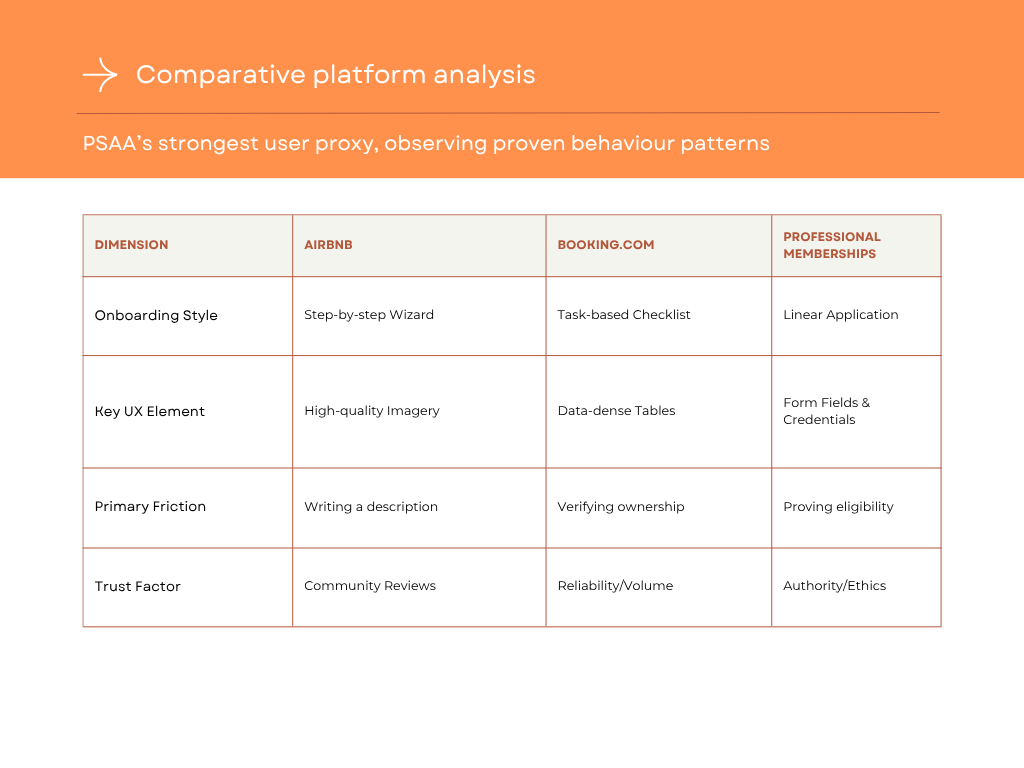
Comparative platform analysis across leading onboarding and membership systems.
Define
Mapping the Full Membership Lifecycle
With no existing platform or active members, we mapped the proposed membership lifecycle from registration through certification and renewal. Stakeholder interviews and workflow mapping helped us understand what the experience needed to support for both members and PSAA administrators. Mapping the lifecycle revealed four priorities that would shape the platform:
Trustworthy member path
Property owners needed a trustworthy, clear path from awareness to certified membership.
Scalable admin operations
PSAA required a scalable system to manage applications, approvals, and renewals without manual overhead.
Manual certificate delivery
Certificate delivery was manual. We needed automation for generation, issuance, and tracking.
A low-friction signup experience
The registration journey needed to collect the information PSAA required without creating unnecessary complexity for prospective members.
The lifecycle was mapped across three connected roles: the property owner completing each stage, the platform automating key actions, and PSAA administrators managing the process. Together, these maps defined how member actions, platform automation, and administrative workflows would work together across the membership journey.
| Stage | Property Owner | Platform | PSAA Admin |
|---|---|---|---|
| Application | Completes form | Saves submission | Reviews |
| Payment | Pays | Confirms payment | Verifies |
| Certification | Accesses certificate | Generates certificate | Monitors |
| Renewal | Renews | Sends reminders | Confirms |
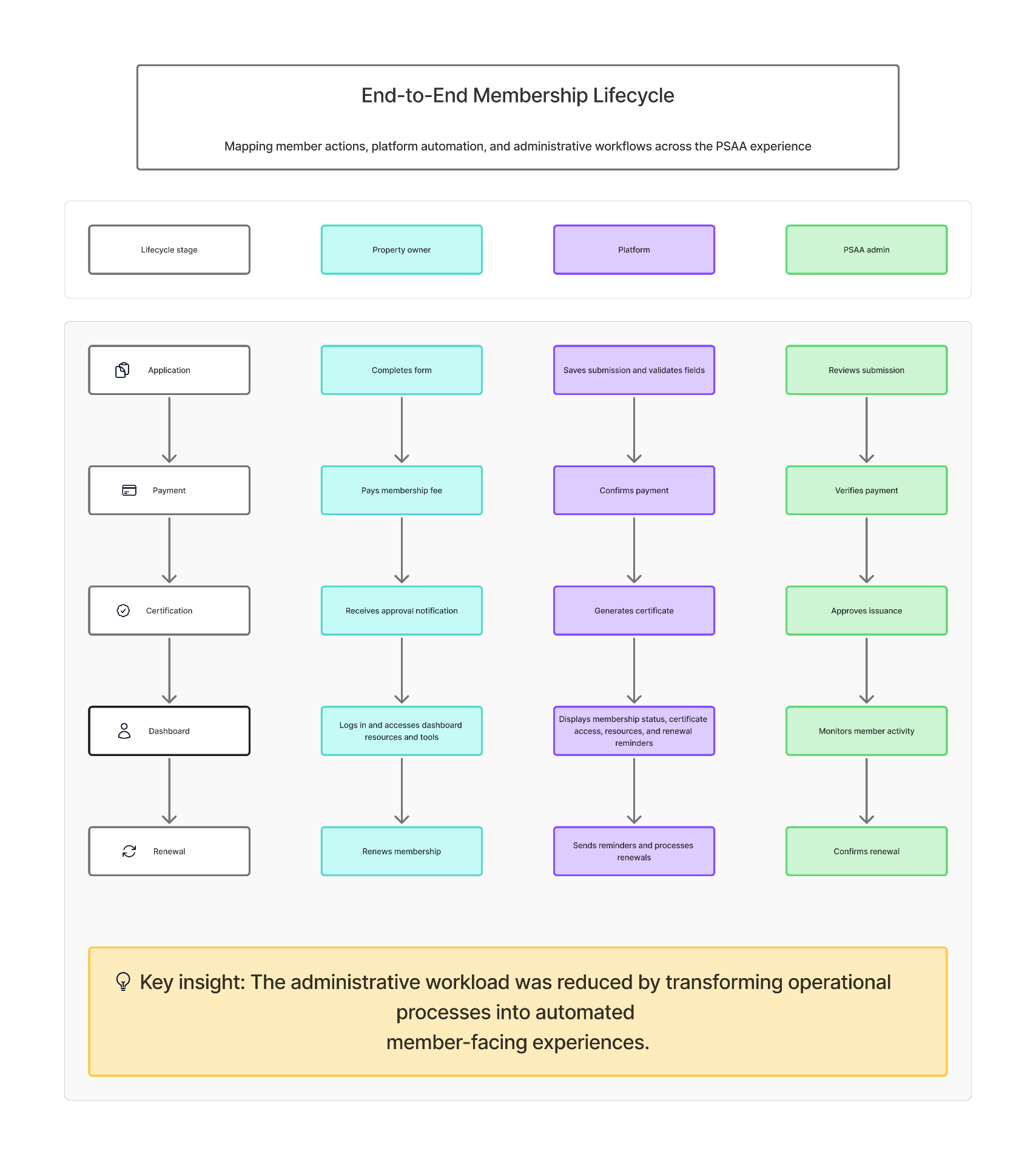
End-to-end membership lifecycle mapping member actions, platform automation, and administrative workflows across the PSAA experience.
Ideation
Designing for Three User Types Simultaneously
The platform had to serve distinct needs across property owners and administrators simultaneously by balancing guidance for newcomers, efficiency for professionals, and compliance oversight for PSASA governance.
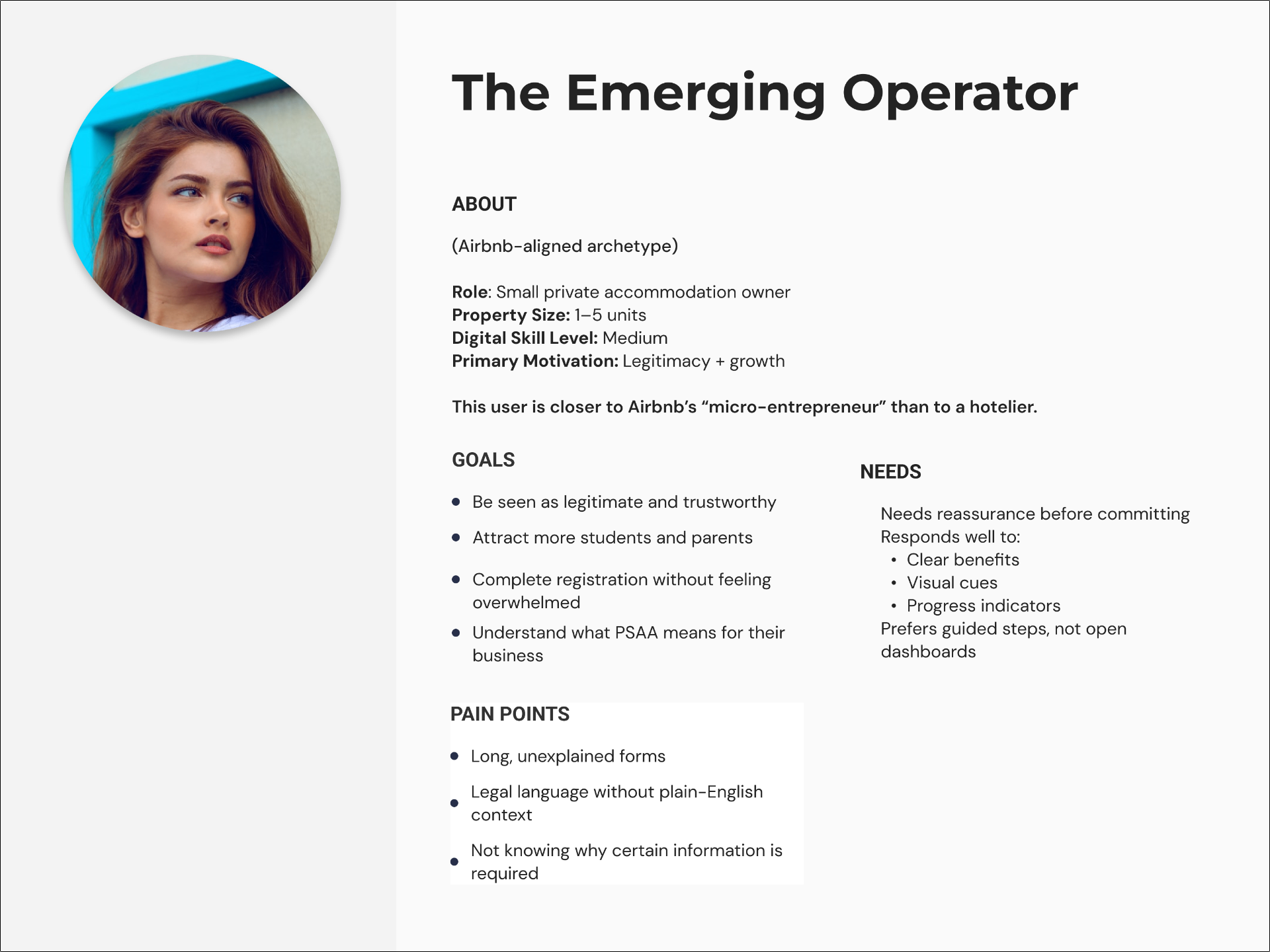
Emerging Operator
Cautious and unfamiliar with formal membership processes. Needed reassurance, plain-language copy, progress indicators, and step-by-step guidance through application and payment.
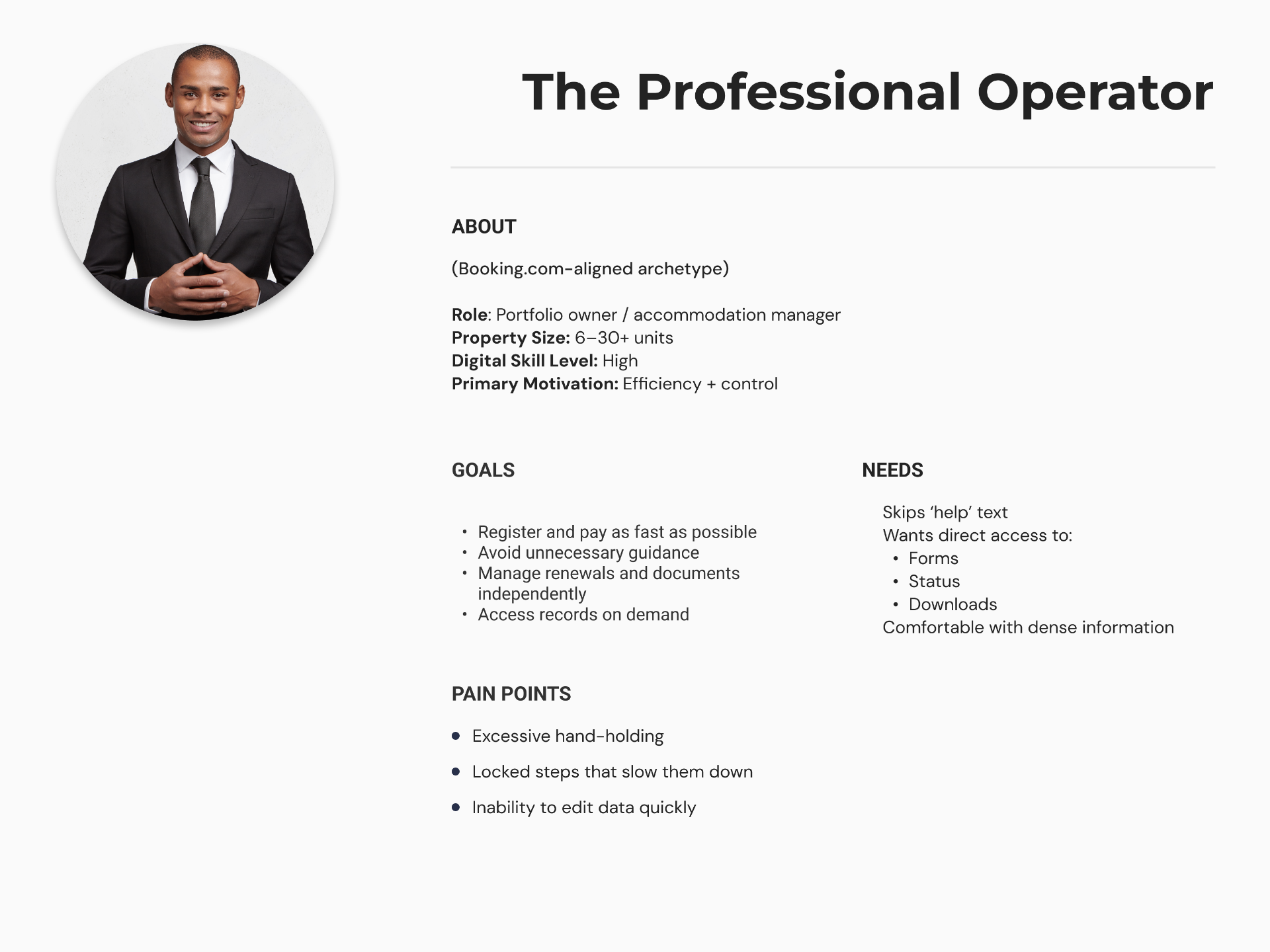
Professional Operator
Experienced and time-poor. Needed minimal form fields, fast document submission, pre-filled renewal data, and a dashboard that surfaced key information immediately.
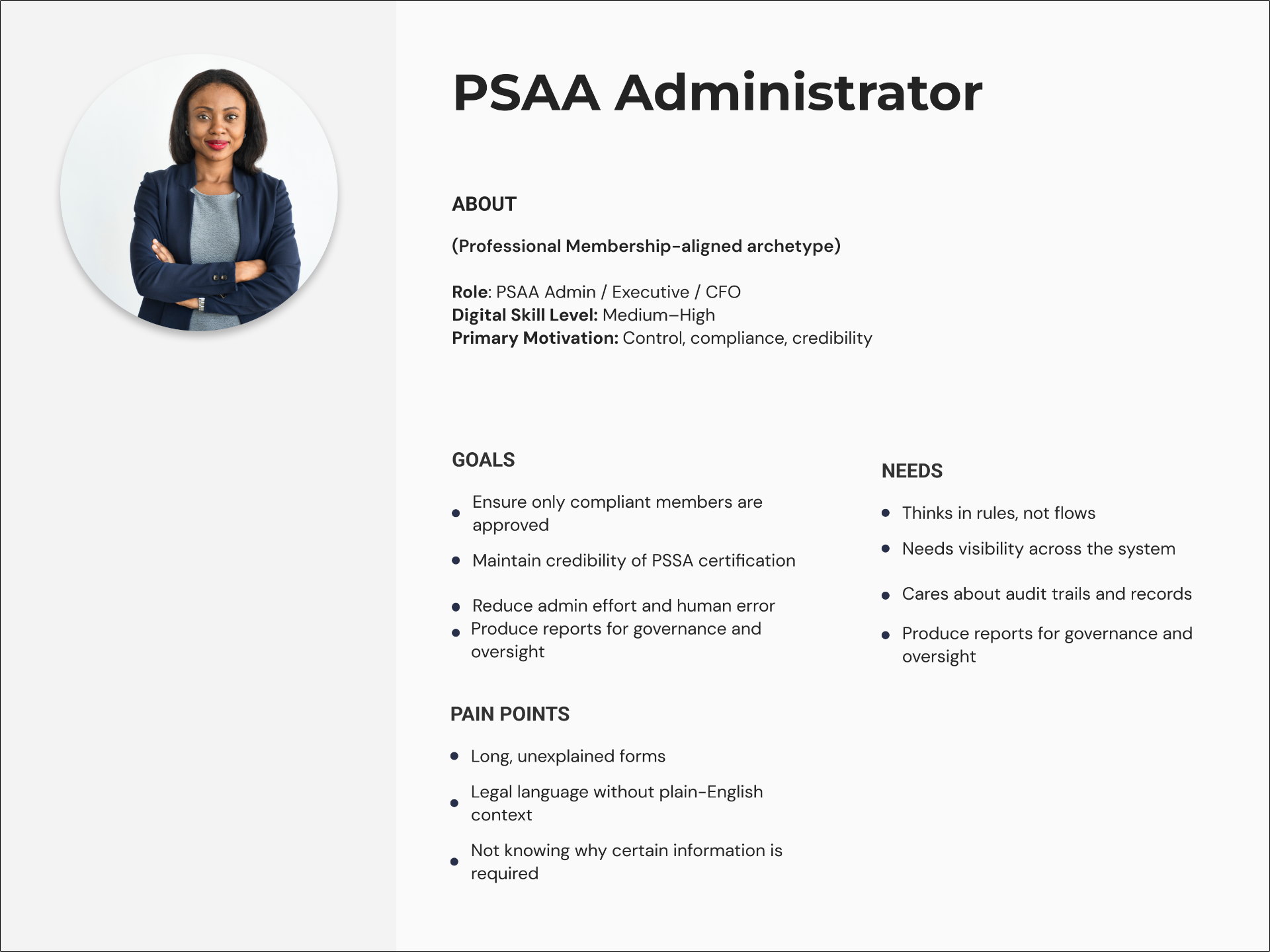
PSAA Administration
Needed full operational oversight: filterable application queues, approval and rejection controls, internal notes, timestamped decisions, and data export for compliance reporting.
Strategic Decision
A Decision To Not Build A Feature
A proposed feature would have let students search for accommodation providers directly through the platform. After evaluating the platform's early membership base, I identified a critical usability risk in launching it too soon and recommended holding it back.
“I recommended focusing on the provider experience first: onboarding, certification, and resources before adding anything student-facing.”
Unmet Expectations
Students would arrive expecting providers that did not yet exist on the platform.
Dead-End Interactions
Empty search states would communicate platform failure rather than early-stage growth.
Trust Erosion
A weak first experience would undermine confidence in platform legitimacy before the membership base was ready to support it.
Testing
Stakeholder Feedback and Iteration
A low-friction signup experience
→ The registration journey needed to collect the information PSAA required without creating unnecessary complexity for prospective members.
Messaging focused on industry belonging, not member benefit
→ Repositioned around NSFAS support, the outcome members needed to hear
Abstract association language obscured real benefits
→ Shifted copy toward concrete, practical outcomes
Renewal messaging repeated and overstated accreditation scope
→ Removed duplicate copy and scaled accreditation claims back to reality
Workflow Shortcut
Prototyping in Lovable Instead of Wireframes
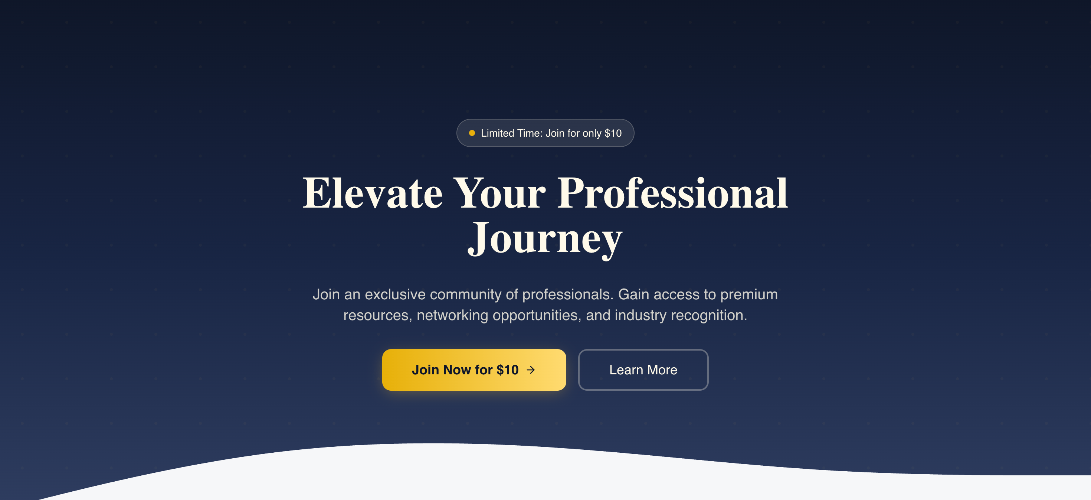
With a 1 month launch constraint, I used Lovable to rapidly prototype the membership experience by testing layout, flow, and tone before committing to the WordPress build. This allowed me to validate direction early and get design approval faster, without spending limited time on traditional wireframes.
Early Lovable Prototype — Directional Exploration
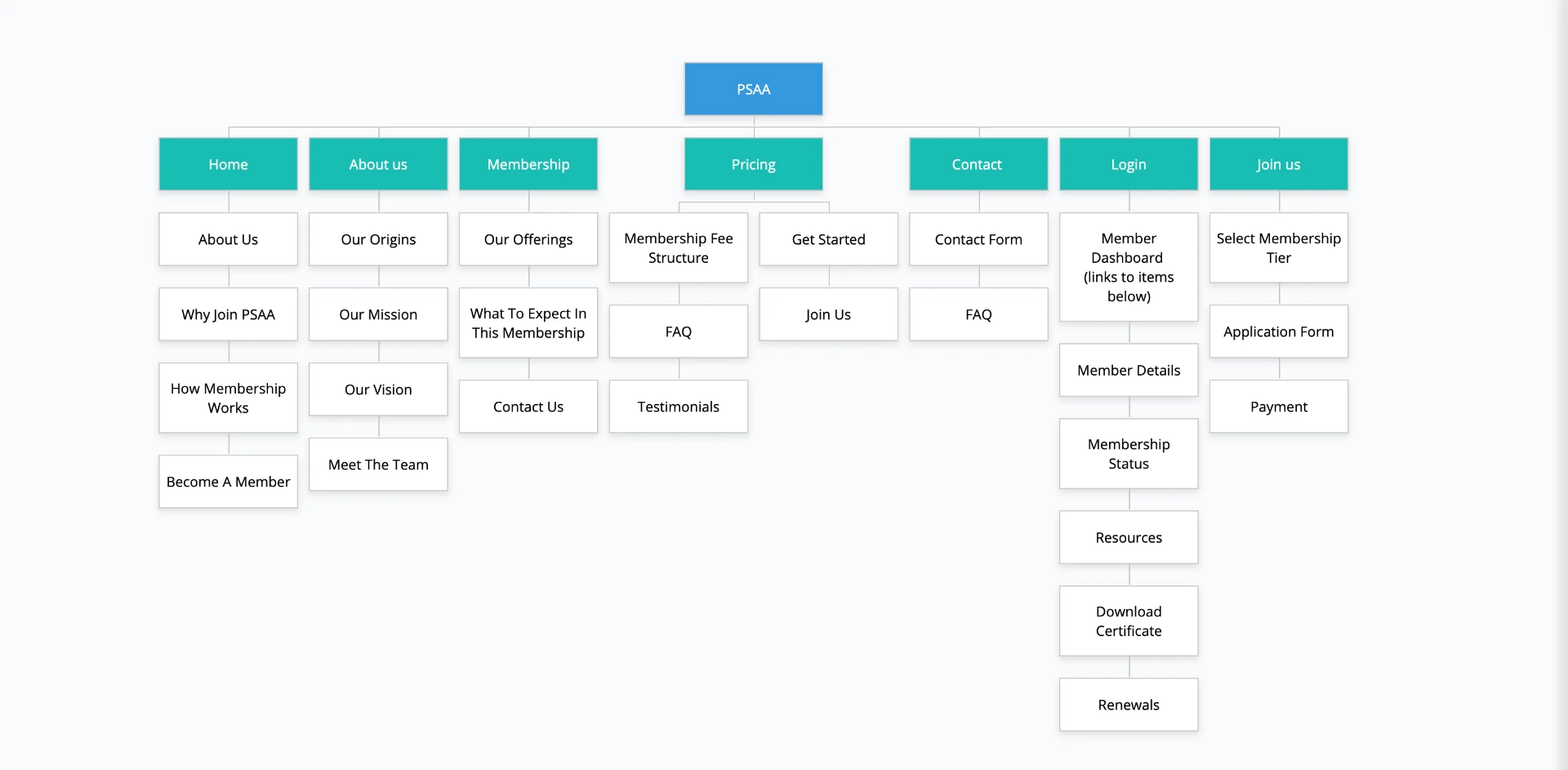
Sitemap
Trust-First Visual Language
Credibility-building hierarchy with clear value proposition and focused calls to action across the front-facing site.
Status-Driven Dashboard
Surfaces membership status, certificate access, and next required action immediately on login.
Authority by Design
Auto-generated certificates with membership ID, issue and expiry dates — downloadable anytime, emailed on approval.
Homepage — Establishing Trust
Clear value proposition, credibility-building hierarchy, and a focused CTA guiding both Emerging and Professional Operators toward membership.
Homepage flow: from first impression to conversion

Hero and primary call to action
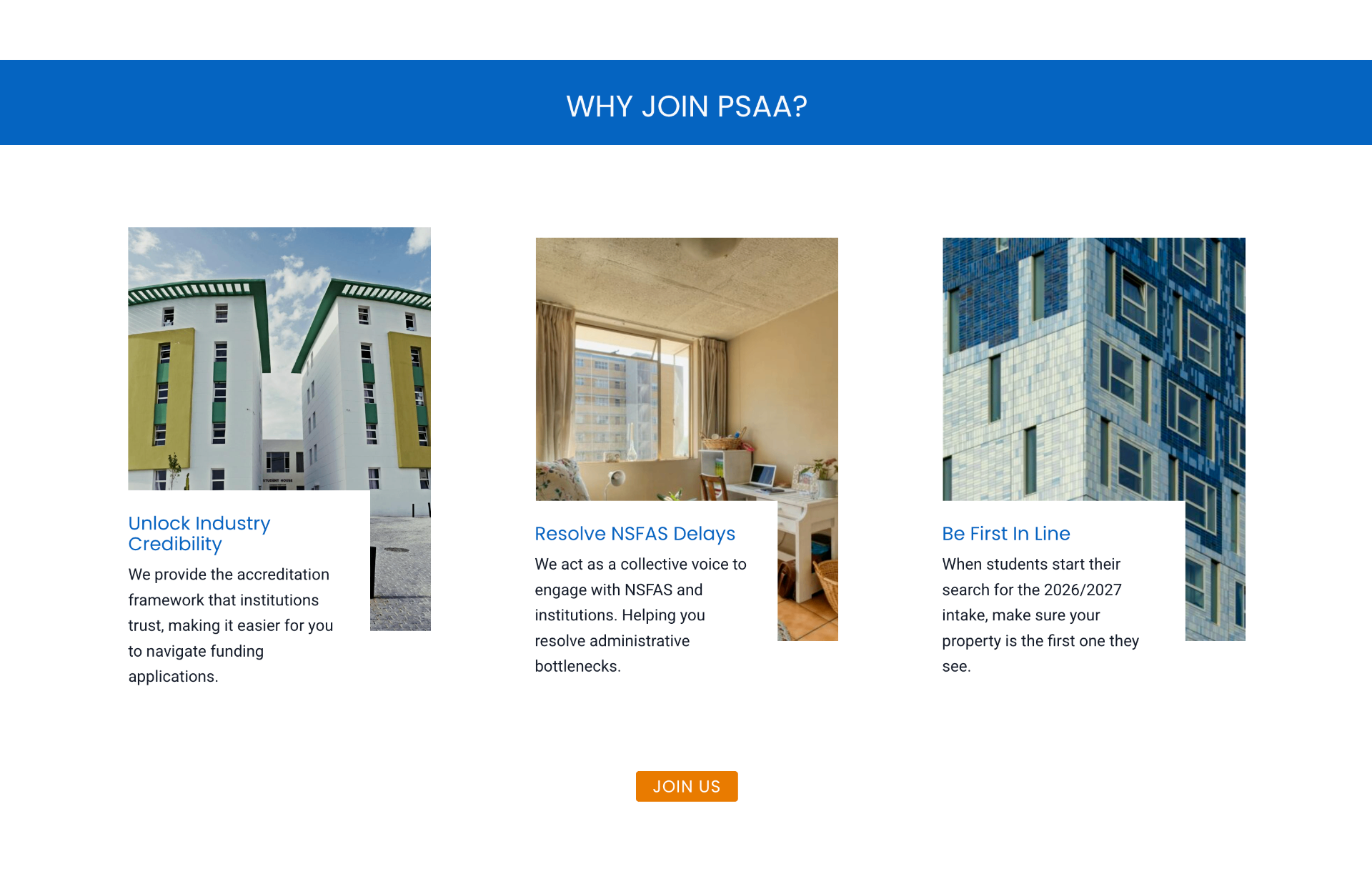
Why join PSAA — key benefits

Final call to action
Enrollment Journey
From Discovery to Certified Member
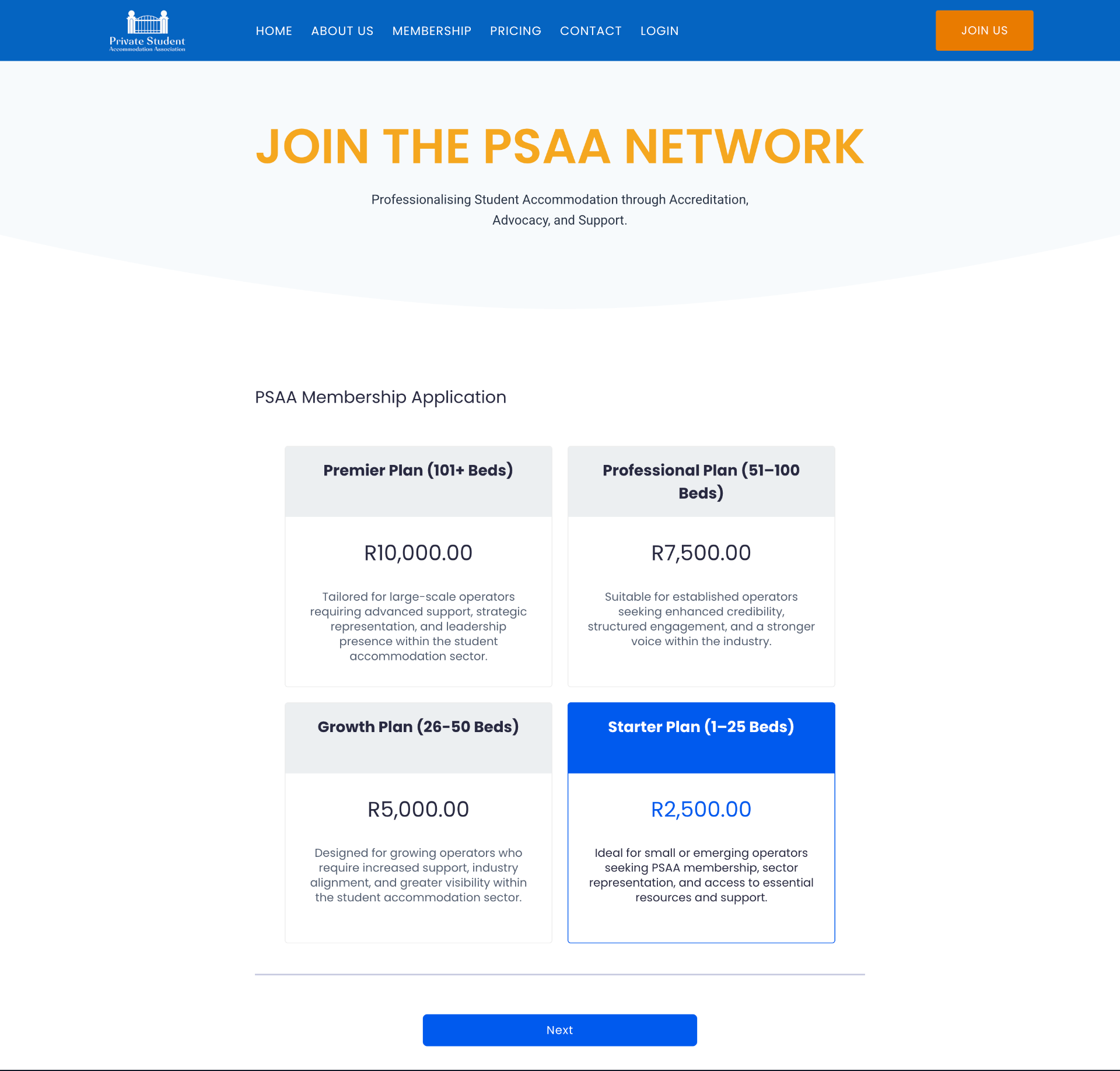
The enrollment experience was redesigned from a 12-section manual paper form into a guided 3-stage digital journey; separating tier selection, application, and payment into focused steps that reduce cognitive load and drop-off at each stage.
Enrollment flow: select plan → apply → pay
Select Membership Tier
Members begin by selecting their plan — Starter, Growth, Professional, or Premier based on bed capacity. Separating this decision from the form reduces cognitive load by letting members commit to a tier before facing any form fields.
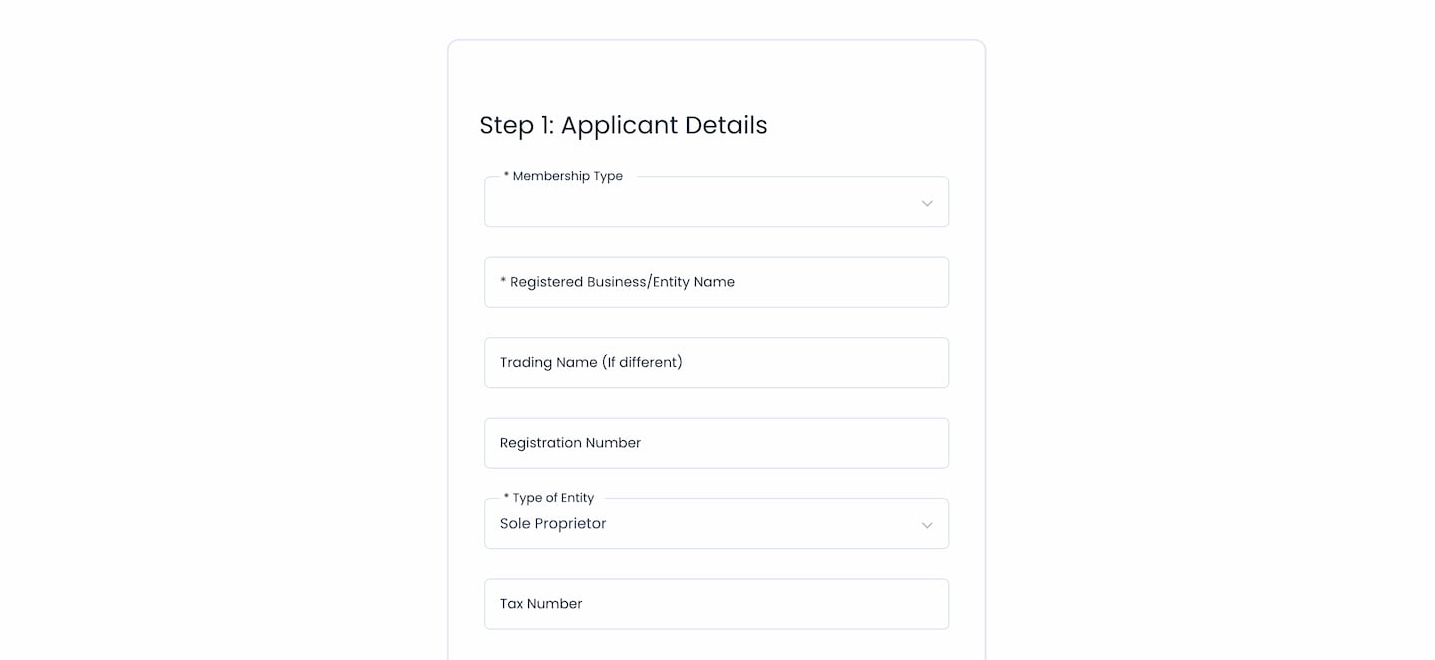
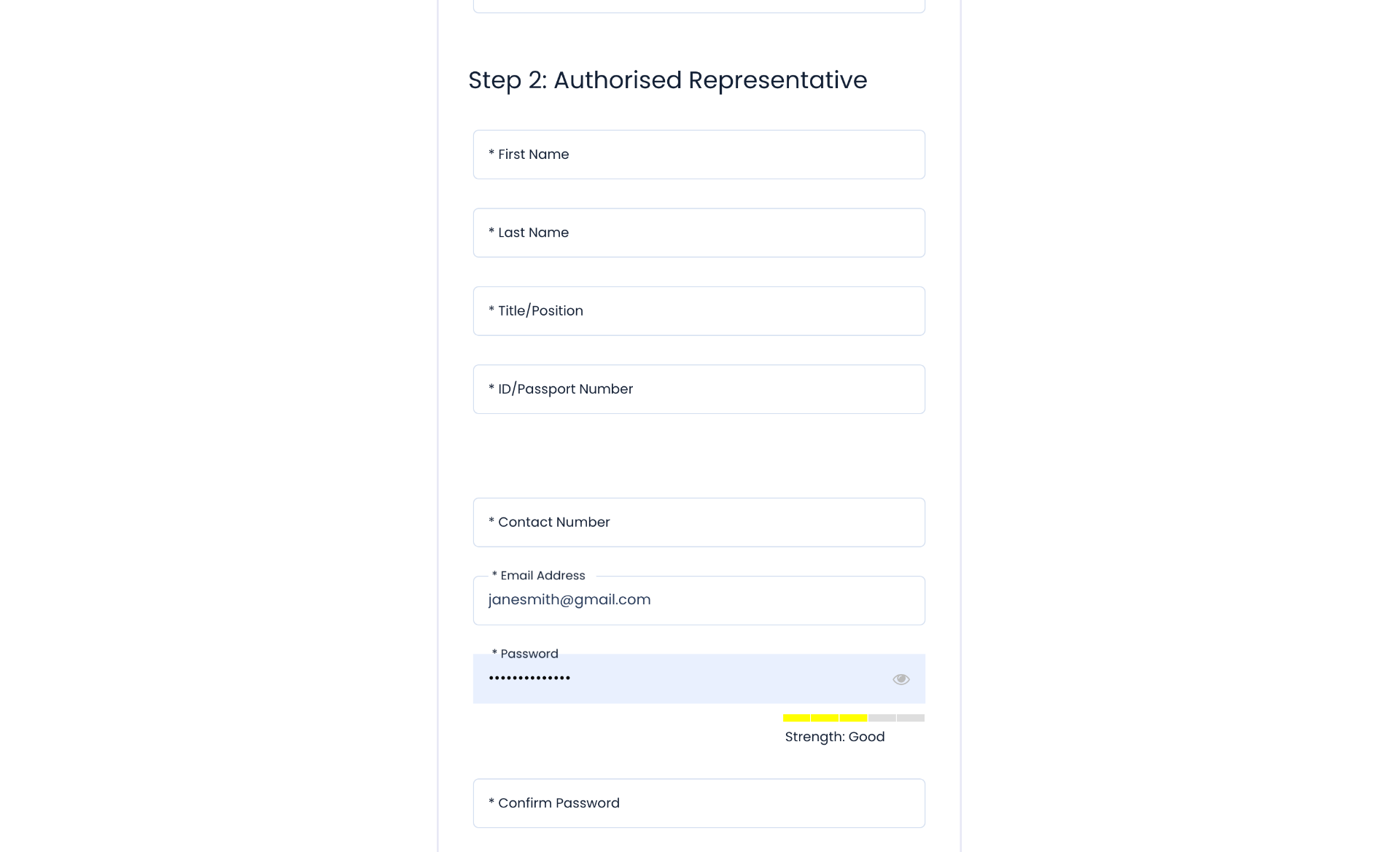
Complete Application
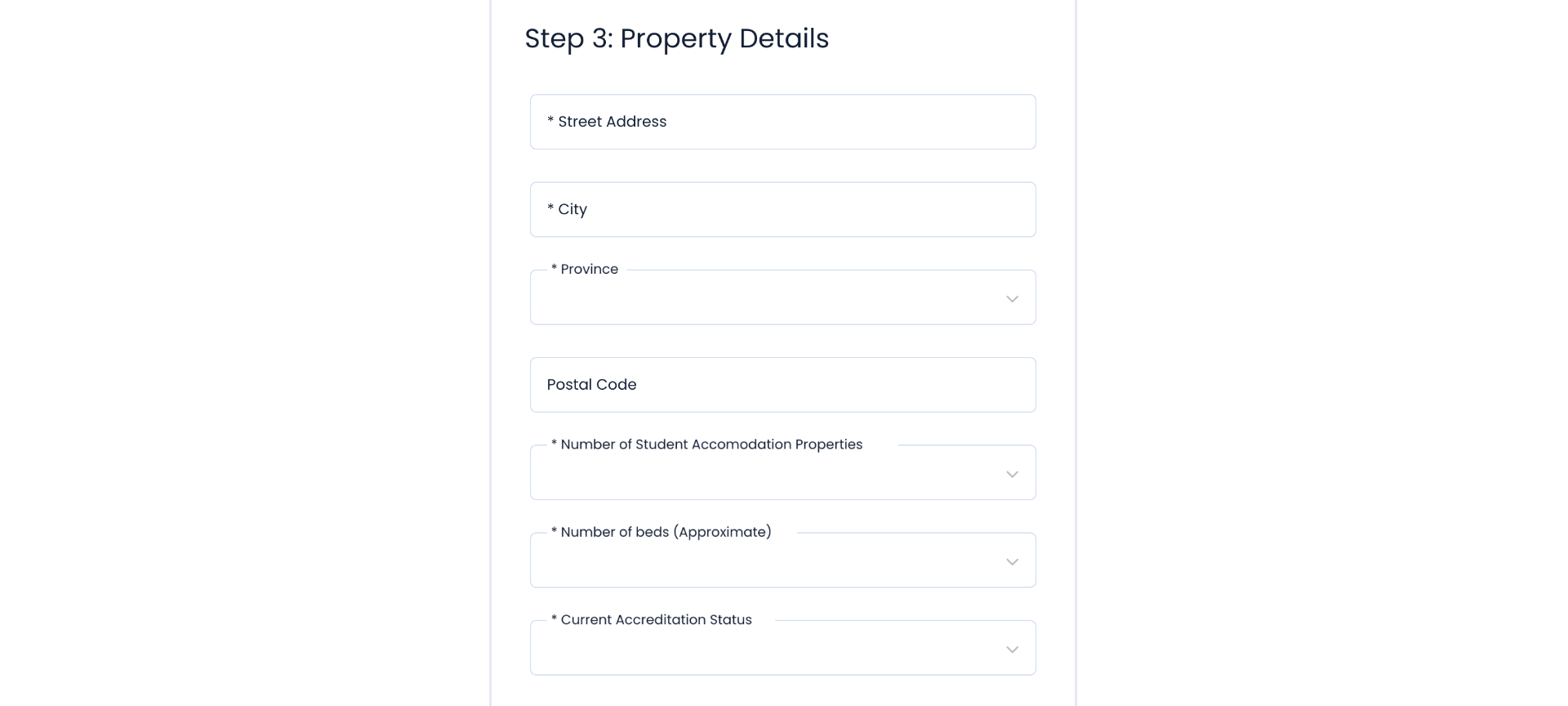
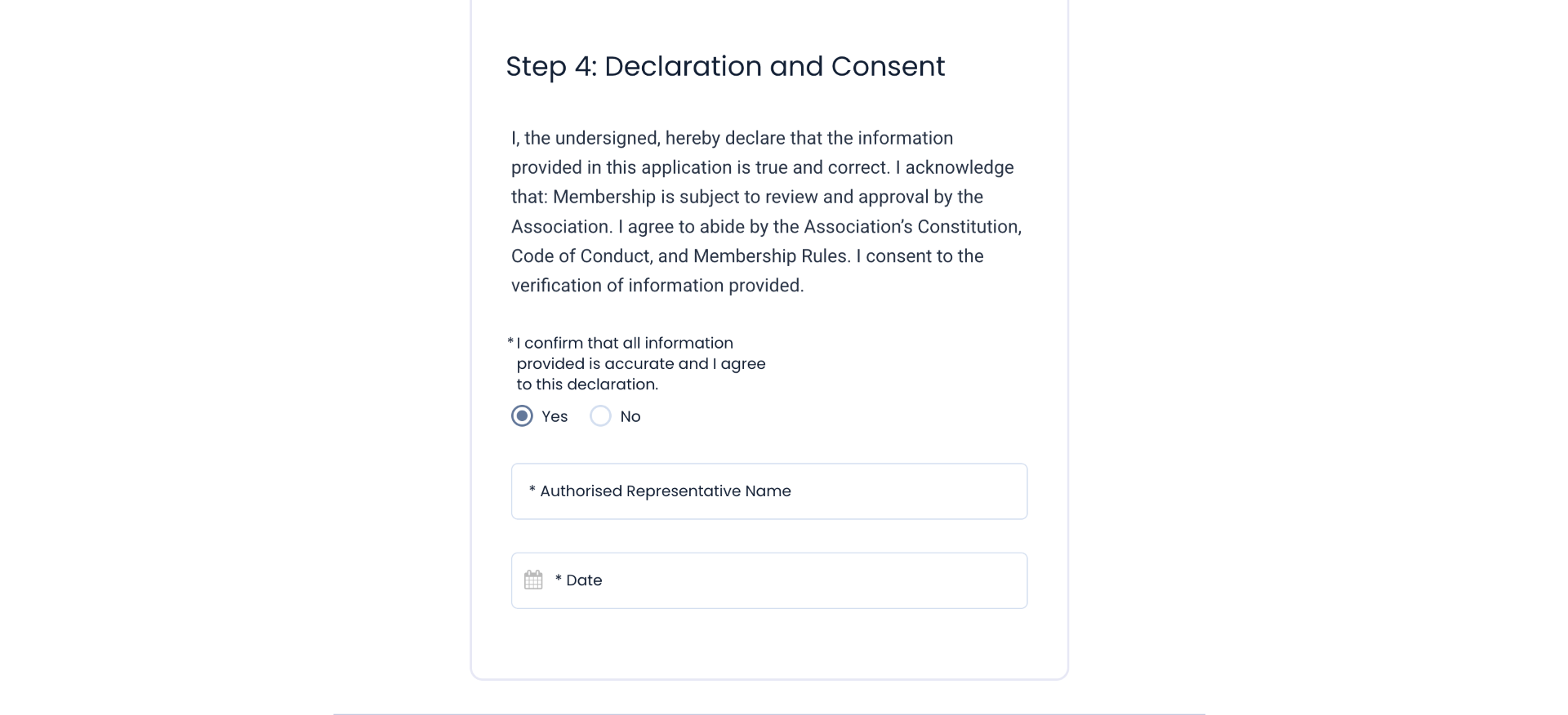
A focused 4-step form covering applicant details, authorised representative information, property details, and declaration. Document upload was deliberately removed after testing revealed it caused fatigue and drop-off. Documents are submitted later via email when a site inspection is booked by a PSAA official.
Payment
On submission, members are directed to PayFast: supporting Visa, Mastercard, Apple Pay, Google Pay, Capitec Pay, SnapScan, and instant EFT. Multiple payment options removed the final friction point in the enrollment journey.

Member Dashboard
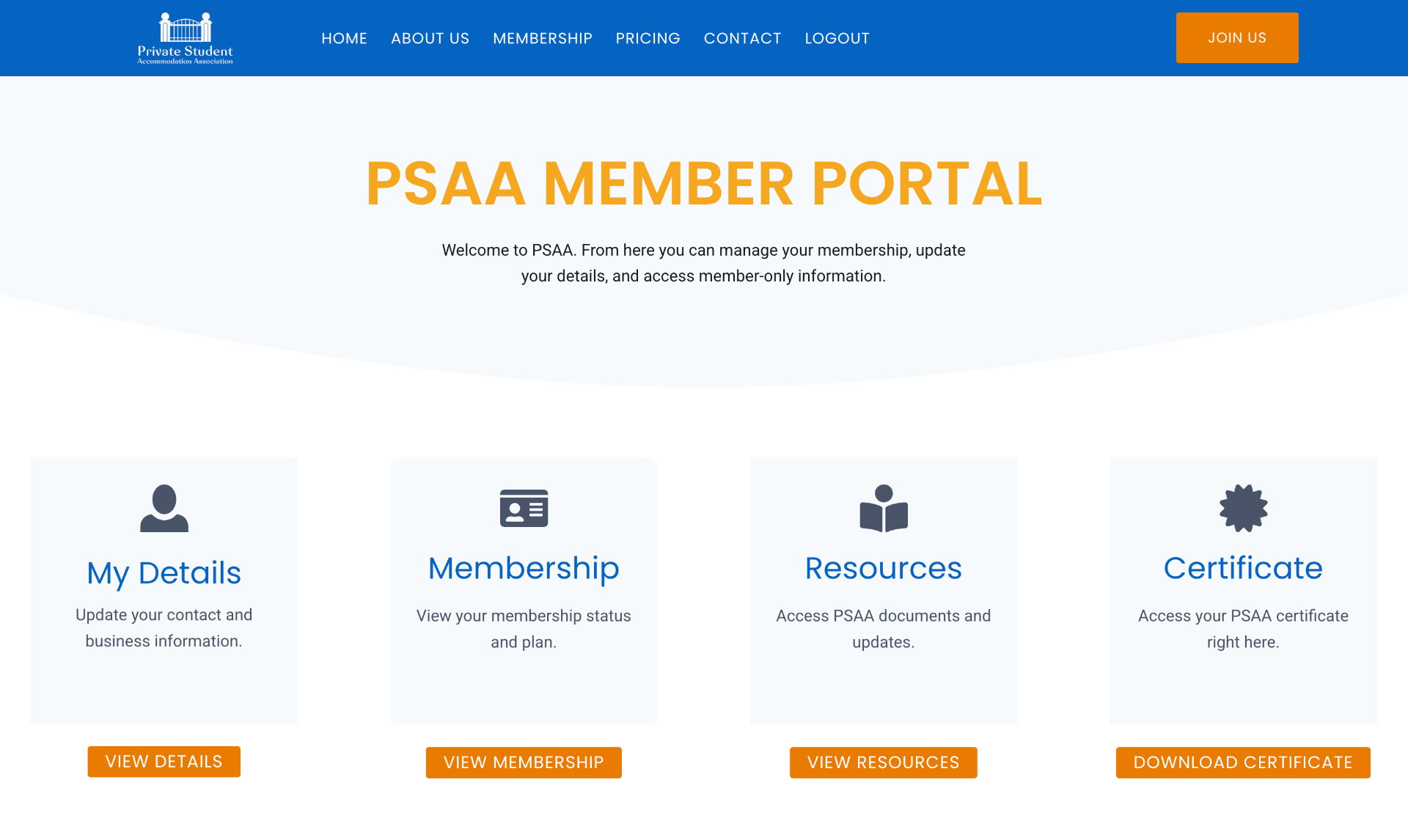
The first screen a member sees surfaces membership status, certificate access, and next required action. Designed to answer the three questions every member has on login: Am I active? Where is my certificate? What do I need to do?
Certificate Workflow
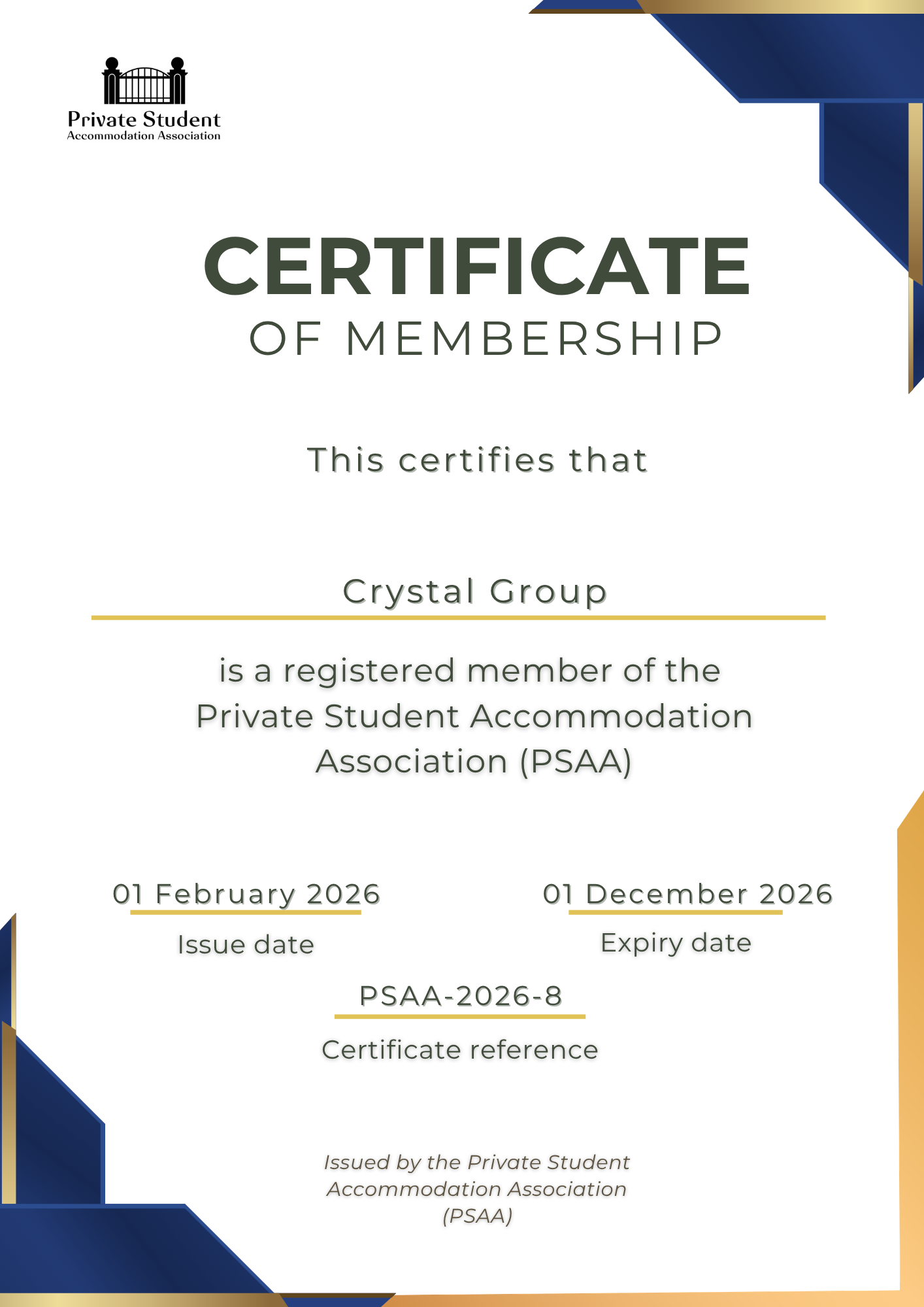
Certificates were auto-generated with membership ID, issue date, and expiry date. Downloadable anytime from the dashboard and delivered automatically by email on approval.
Renewals — Lifecycle Continuity
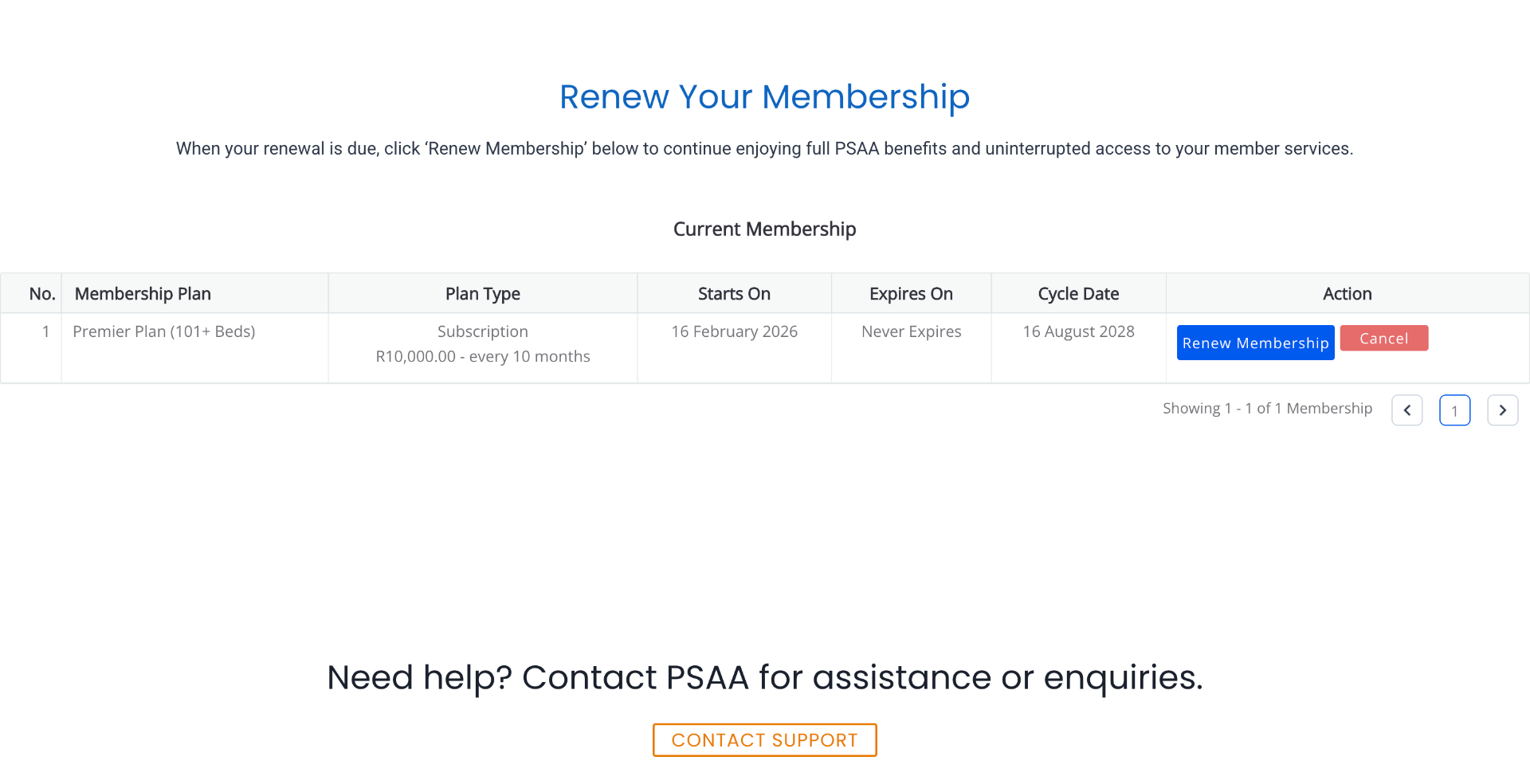
The renewal flow was designed to feel simpler than first-time signup: pre-filled data, clear expiry warnings at 30 days, and automated reminders to reduce admin intervention. Renewal dashboard: members can view their current membership plan, subscription dates, and renewal cycle with direct 'Renew' and 'Cancel' actions. Button sizing inconsistency in this view was a plugin rendering contraint outside of my direct design control. I have flagged it as a future iteration to be resolved by custom CSS overrides.
Outcomes
Shipped in 30 Days
A full SaaS membership platform designed, built, and launched solo within a tight one-month deadline.
Reduced enrollment friction
Removing the document upload step reduced the number of actions required during initial signup and addressed a known source of abandonment identified during testing.
Established Digital Credibility
PSAA went from no online presence to a professional, trust-building membership platform.
Automated Member Operations
Certificate generation, email delivery, renewal reminders, and lifecycle communication implemented end-to-end.
Strategic Alignment Before Launch
A late-stage stakeholder review caught a critical messaging misalignment and corrected the value proposition before go-live.
PSAA launched with a scalable digital membership platform that legitimised the association, automated critical workflows, and delivered immediate operational value.
Reflection
What Building a Platform End-to-End Taught Me About UX
Stakeholder Alignment Matters Early
A late review changed the positioning around NSFAS support. In future projects, I'd validate the core value proposition with all decision-makers before moving into high-fidelity design.
UX Includes Workflow Logic
Designing certificate generation, renewal reminders, and approval states taught me that UX extends into system behaviour, not just screens.
AI-Assisted Development Expands Execution
Learning to prompt and iterate with AI to build functionality I couldn't code manually is now a core part of how I work.
Document Process as You Build
Moving fast meant artifacts came after decisions. Future projects will capture process documentation in real time.
Platform Constraints Strengthen Design
WordPress limitations became design inputs — working within them produced leaner, more focused UX decisions than an open canvas would have.